





Price: $149.99
(as of Jun 12, 2025 22:59:23 UTC – Details)
Product Description
The video showcases the product in use.The video guides you through product setup.The video compares multiple products.The video shows the product being unpacked.


What can I do to improve my appearance on video calls?
Avoid having a light source behind you that appears on-camera such as the sun, windows, or lamps. A rear light source will create shadows on your face and cause your webcam to automatically reduce your brightness to compensate for the excess light.
How do I know if I need the single or double light kit?
The double light kit is meant for use with a monitor while the single light kit is meant for use with a laptop. We recommend two lights when sitting at a desk with a monitor and one light while using your laptop.
What else can I do to improve my appearance on video calls?
When using a laptop, a laptop riser should also be used to bring the webcam up to eye level. Lights should be directly in front of your face if using a single light or symmetrically placed on each side of your face if using more than one light.
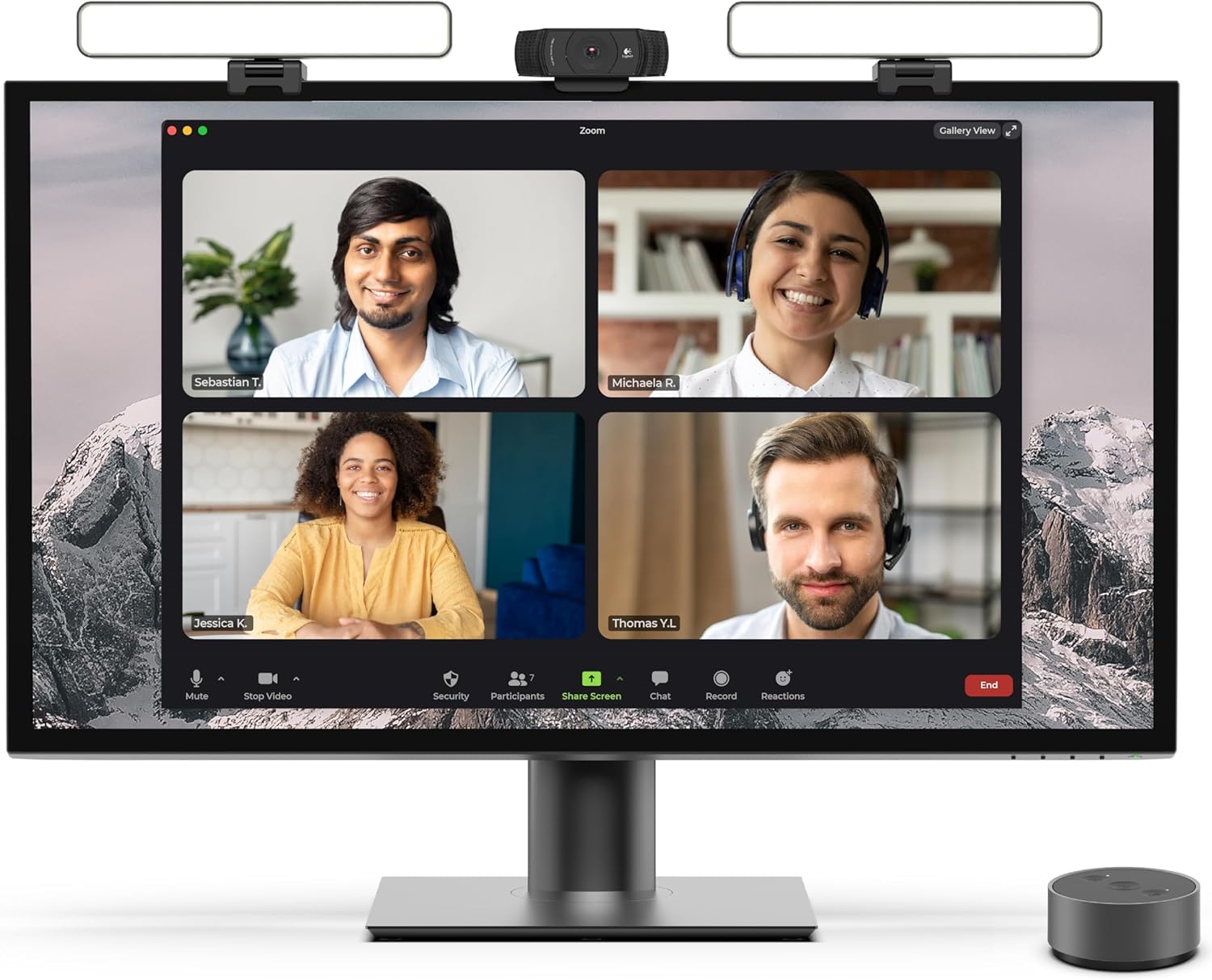
HighBeam Pro premium video conference lighting: Designed to make you look more professional without sacrificing desk space. Add light for video conference to improve your appearance on Zoom calls, streaming video, remote meetings, and online class. Make sure you don’t have a light or a window behind you, as your face won’t look bright enough. This is because the camera is compensating for the bright light behind you by making the whole image dark.
High-quality USA engineering and design: Includes 1 low-profile video conference light, wireless controller puck in anodized aluminum, USB-C wall plug, stable no-slip monitor mount, single light laptop mount, upgraded cables, smooth temperature and brightness adjustment.
Sleek wireless control at your fingertips: Effortlessly adjust brightness and color temperature by turning the wireless controller puck dial. Power the lights on and off and remember your last settings. Designed for long puck battery life.
Adjustable temperature and brightness: Achieve the ideal video call light to match your skin tone and environment. Add a Zoom light to improve engagement over video meetings. Lighting for video conferencing provides a professional streaming presence.
Dual light kit is two connected video conference lights. Includes wireless controller puck, wall plug and USB-C power cable, two weighted webcam-style light mounts, one laptop mount, USB-C light connecting cable, and one USB-C right angle adapter.
Customers say
Customers find the conference lighting bright enough to illuminate their faces well and appreciate its high build quality. The product is easy to set up and offers intuitive adjustment capabilities, with one customer highlighting the ability to switch between white and yellow light. They like the controllability, with one mentioning the remote control with physical buttons, and find it works well for their needs. Customers consider it worth the price.
 Overview
 Processor
 Display
![]() RAM
RAM
 Storage
![]() Video Card
Video Card
 Connectivity
 Features
 Battery
 General
Related Products




Apple MacBook Pro 16″ M1 Pro
Out of stock
Reviews
Clear filtersThere are no reviews yet.