





Price: $36.95
(as of May 16, 2025 13:26:26 UTC – Details)
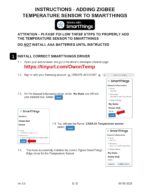
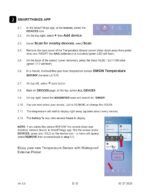
(SEE PRODUCT IMAGES FOR INSTRUCTIONS WITH IMAGES, 2 PAGES)
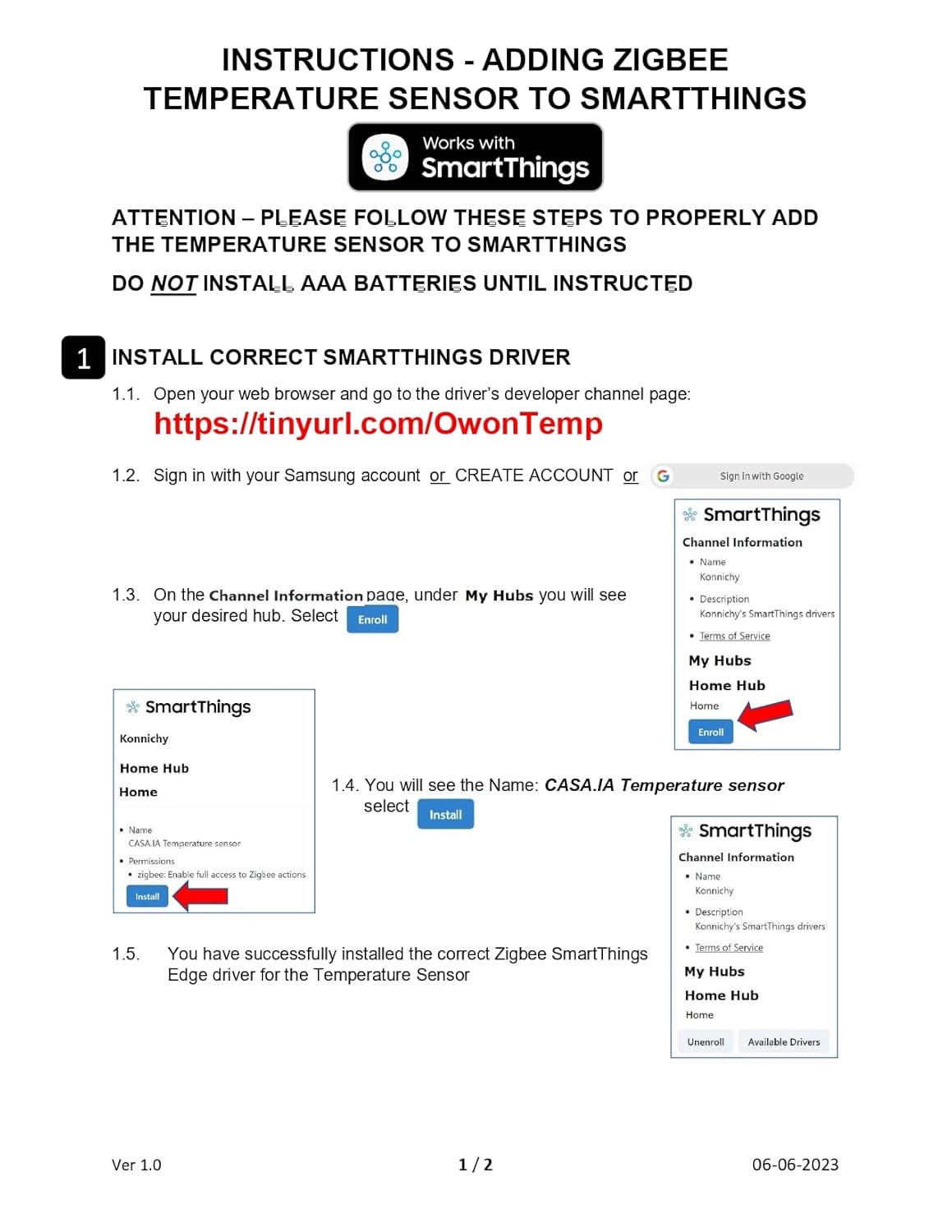
INSTRUCTIONS- ADDING ZIGBEE TEMPERATURE SENSOR TO SMARTTHINGS
ATTENTION – PLEASE FOLLOW THESE STEPS TO PROPERLY ADD THE TEMPERATURE SENSOR TO SMARTTHINGS
DO NOT INSTALL AAA BATTERIES UNTIL INSTRUCTED
1 – INSTALL CORRECT SMARTTHINGS DRIVER
1.1. Open your web browser and go to the driver’s developer channel page: (SEE INSTRUCTIONS IN IMAGES FOR LINK)
1.2. Sign in to your Samsung account (which you use for your SmartThings Hub)
1.3. On the CHANNEL INFORMATION page, under MY HUBS, you will see your desired hub, select ENROLL
1.4. You will see the Name: CASA.IA Temperature sensor, select INSTALL
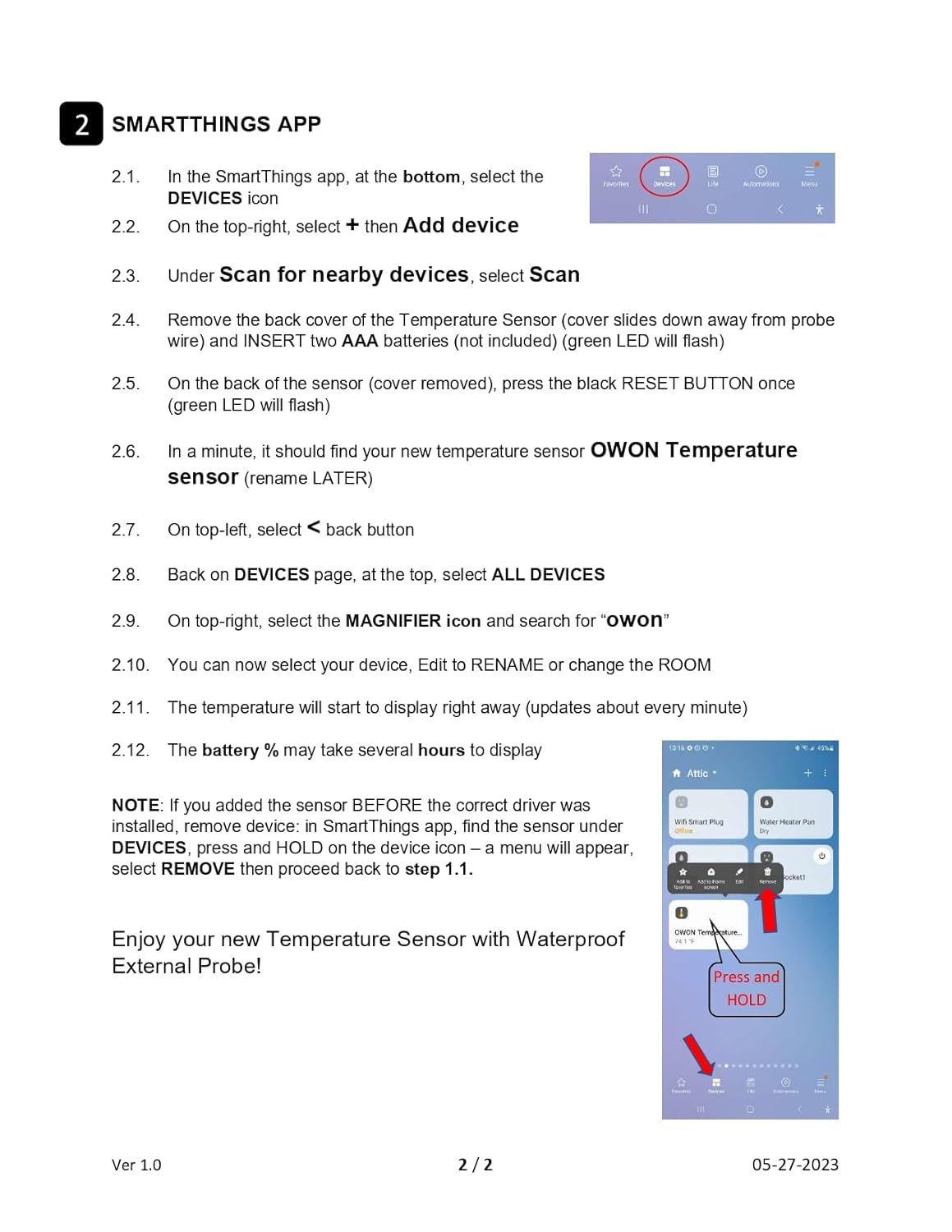
2 – SMARTTHINGS APP
2.1. In SmartThings app, at the bottom, select the DEVICES icon
2.2. On the top-right, select + then Add device
2.3. Under Scan for nearby devices, select Scan
2.4. Remove back cover of the Temperature Sensor (cover slides down away from probe wire) and INSERT two AAA batteries (not included) (green LED will flash)
2.5. On the back of sensor (cover removed), press the black RESET BUTTON once (green LED will flash)
2.6. In a minute, it should find your new temperature sensor OWON Temperature sensor (rename LATER)
2.7. On top-left, select back button
2.8. Back on DEVICES page, at the top, select ALL DEVICES
2.9. On top-right, select the MAGNIFIER icon and search for “owon”
2.10. You can now select your device, Edit to RENAME or change the ROOM
2.11. The temperature will start to display right away
2.12. Battery % may take several hours to display
Enjoy your new Temperature Sensor!
Product Dimensions : 2.44 x 2.44 x 0.61 inches; 1.45 ounces
Item model number : THS317-ET
Batteries : 2 AAA batteries required.
Date First Available : July 7, 2023
Manufacturer : Owon
ASIN : B0CBCZGC62
Country of Origin : China
[WORKS WITH NEW SMARTTHINGS] Easy setup to work with latest SmartThings Edge (install instructions BELOW and in images, 2 pages)
[REMOTE MONITORING & ALERTS] Remotely monitor temperature and get ALERTS using SmartThings routines
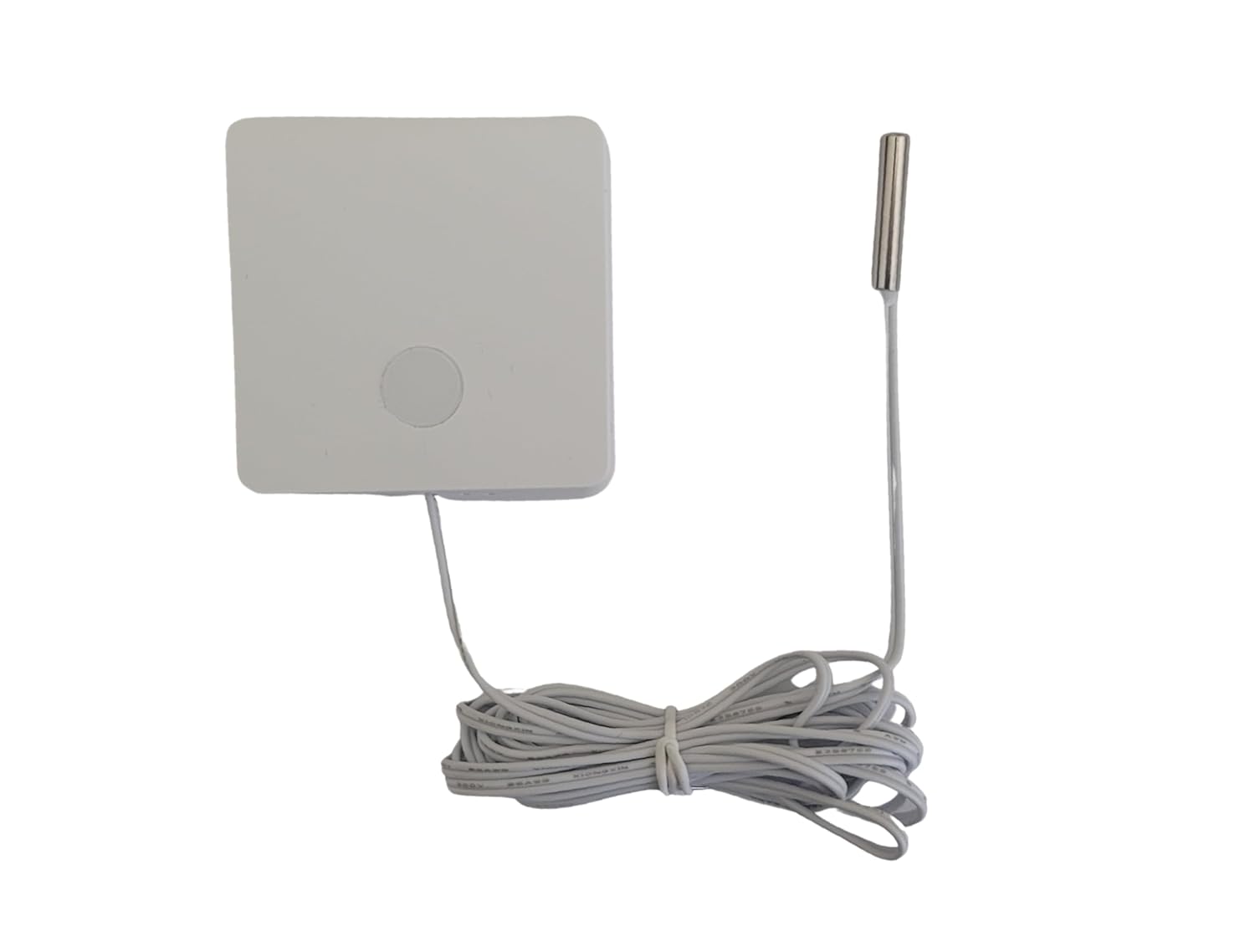
[WIDE APPLICATIONS] Wireless temperature sensor with external waterproof temperature probe to monitor refrigerator, freezer, fish tank, more. Temperature probe range -40 F to +257 F (-40 C to +125 C)
[LOW POWER CONSUMPTION] Temperature sensor uses an extra low power consumption ZigBee 3.0 wireless module and features a long battery life (uses two AAA batteries not included)
[LONG BATTERY LIFE] The ZigBee Sensor uses an extra low power consumption ZigBee wireless module, and features a long battery life
 Overview
 Processor
 Display
![]() RAM
RAM
 Storage
![]() Video Card
Video Card
 Connectivity
 Features
 Battery
 General
Related Products





Apple MacBook Pro 16″ M1 Pro
Out of stock
Reviews
Clear filtersThere are no reviews yet.