







Price: $29.99 - $23.99
(as of May 07, 2025 04:16:30 UTC – Details)
Product Description


1 Bluetooth 5.3 Chip
2 Lower Latency
3 Supported Bluetooth Codes
How to Connect Bluetooth Headset to PS5? 


Important Note of the microphone of the headset:
Our transmitter defaults to audio mode, with the HFP protocol (Bluetooth calling) disabled by default. However, by double-clicking the multifunction button, Bluetooth calling mode can be enabled, and on the next power-up it will automatically revert to the previous mode.
Important Note of the usage of the PS5:
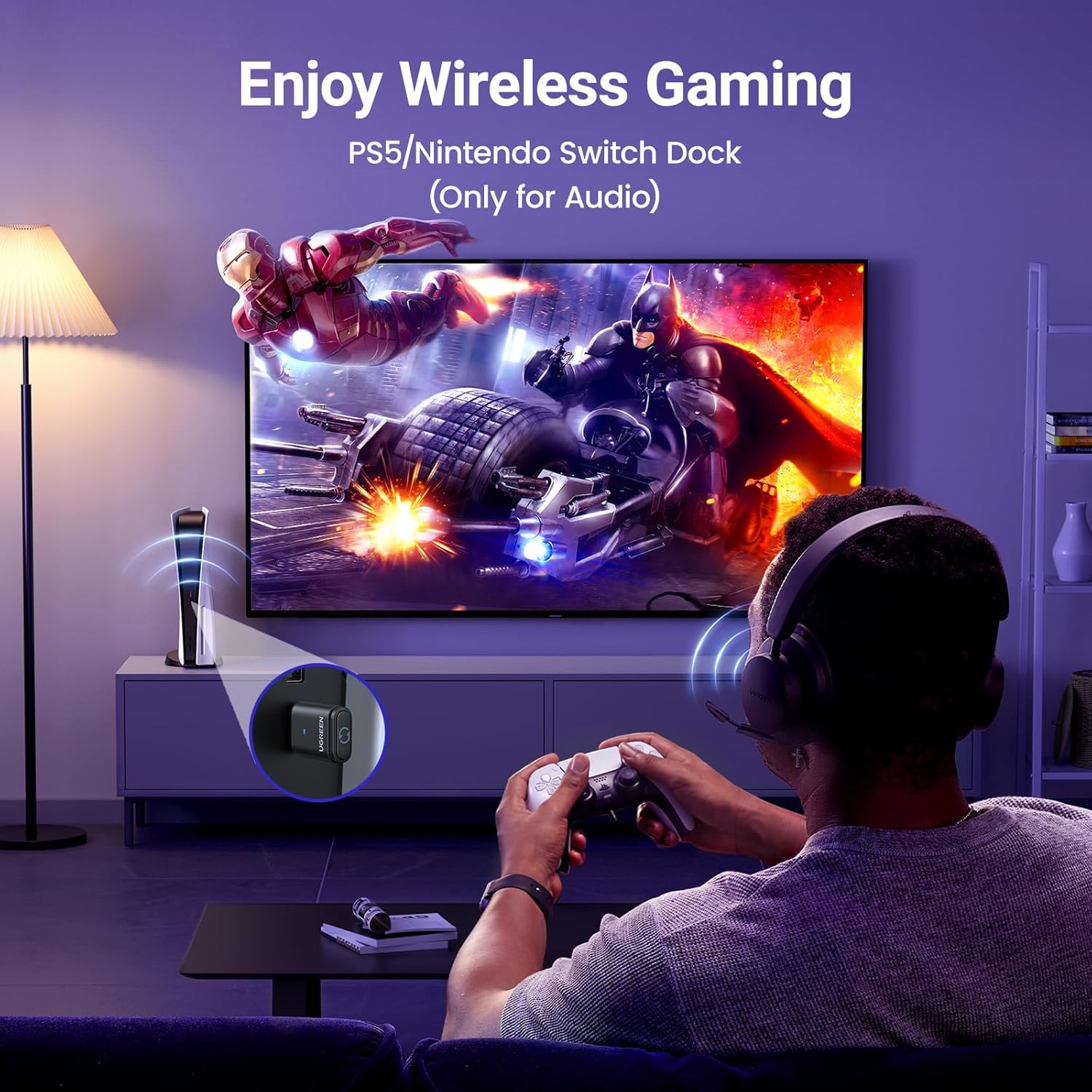
When connecting the product to a PS5, users need to select “UGREEN-BT501” as the audio output device in the PS5 settings and turn off the “switch output device automatically” option for proper functionality.
Important Note of the voice of the product:
1. Impact of Bluetooth Calling Function on Audio Quality: Enabling the Bluetooth calling mode can degrade audio quality. To ensure optimal sound output, it’s advisable to disable the Bluetooth calling function. When doing so, using an external microphone for calls is recommended. Additionally, gamers using the PS5 should consider turning off the Bluetooth calling mode to experience clearer music and game background sounds.
2. Variations in Audio Device Recognition Across Platforms: The product appears as an audio device in the sound settings, supporting volume adjustments. However, due to differences in system recognition across various devices, the audio device may be identified differently. Users should refer to the product manual for guidance on configuring sound settings appropriately.
Important Note of the usage environment of the product:
First, when connecting to a computer, the transmitter should be kept away from other USB devices to reduce signal interference; second, the pairing distance varies with different Bluetooth receiving devices—the better the receiving device’s antenna performance, the longer the pairing connection distance, which depends on the receiving device’s performance.
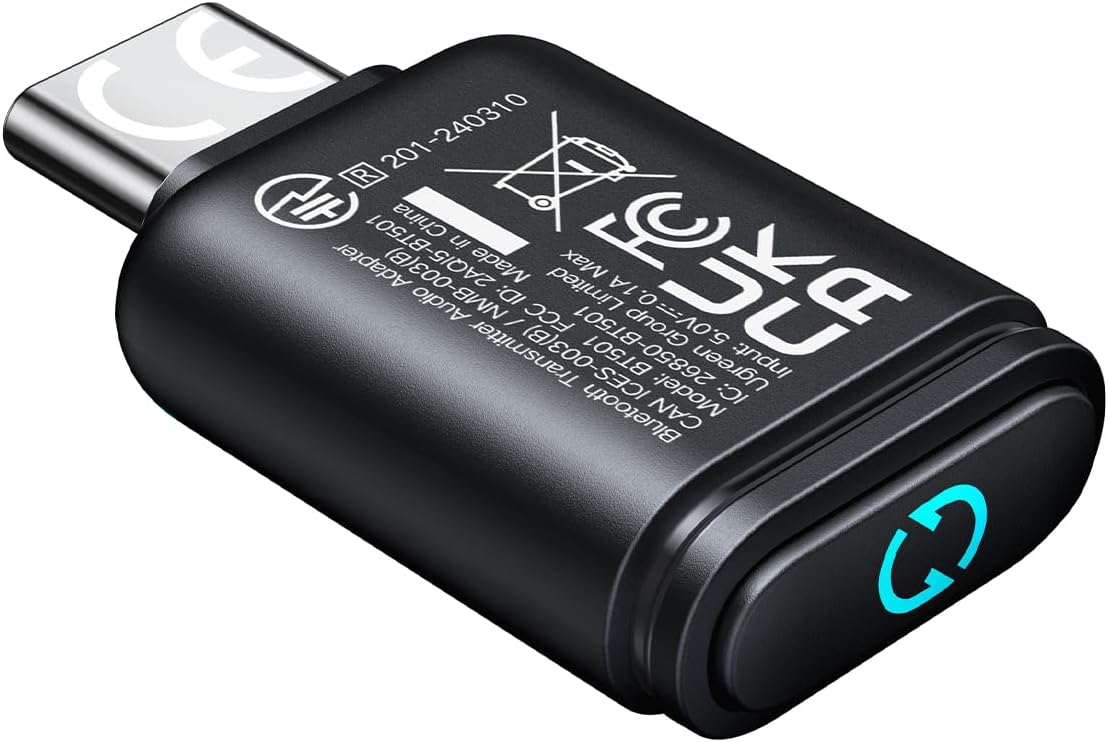
User-Friendly: Connect your wireless headphones to your PS5 or other gaming consoles with the UGREEN adapter and enjoy high-quality audio with no wires, drivers, or software required. Also Add Bluetooth audio capability (AUDIO devices ONLY, no data) with ease to your Desktop, Computer, iMac
Support Audio Decoding: Support Key Switch APTX/APTX Adaptive Low Latency/APTX Adaptive High Quality/APTX HD/SBC. Corresponding LED lights display the working status. Equipped with a Qualcomm chipset that supports low-latency aptX LL, transmitting high-quality 24-bit dynamic audio via a stable, energy-efficient connection. NOTE: The headphones you use must also support the same standard
Wide Compatibility: Easily transmit audio wirelessly from your USB-C ported PS5, Switch, or PC/Laptop to your Bluetooth headphones or speaker. Note: 1. Compatible for Windows/macOS, not compatible for Linux. 2. Not Compatible with PS4
Low Latency Certification: Chip APTX-Adaptive with low latency encoder applied, the audio delay has been minimized to less than 100ms. The Bluetooth audio adapter will present fully synchronized audio & video, letting you enjoy high-quality music wirelessly without disturbing others
Note: 1. Our product is not compatible with the PS5 Portal. 2. Our product is incompatible with AirPods Pro 2 and does not support the dual-device pairing feature
Important Note of the microphone of the headset: Our transmitter defaults to audio mode, with the HFP protocol (Bluetooth calling) disabled by default. However, by double-clicking the multifunction button, Bluetooth calling mode can be enabled, and on the next power-up it will automatically revert to the previous mode
Important Note of the usage of the PS5: when connecting the product to a PS5, users need to select “UGREEN-BT501” as the audio output device in the PS5 settings and turn off the “switch output device automatically” option for proper functionality
Important Note 1 of the voice the product: Impact of Bluetooth Calling Function on Audio Quality: Enabling the Bluetooth calling mode can degrade audio quality. To ensure optimal sound output, it’s advisable to disable the Bluetooth calling function. When doing so, using an external microphone for calls is recommended. Additionally, gamers using the PS5 should consider turning off the Bluetooth calling mode to experience clearer music and game background sounds
Important Note 2 of the voice the product: Variations in Audio Device Recognition Across Platforms: The product appears as an audio device in the sound settings, supporting volume adjustments. However, due to differences in system recognition across various devices, the audio device may be identified differently. Users should refer to the product manual for guidance on configuring sound settings appropriately
Important Note of the usage environment of the product: First, when connecting to a computer, the transmitter should be kept away from other USB devices to reduce signal interference; second, the pairing distance varies with different Bluetooth receiving devices—the better the receiving device’s antenna performance, the longer the pairing connection distance, which depends on the receiving device’s performance
Customers say
Customers find the Bluetooth adapter works great with PS5 and is easy to plug and play. The connectivity receives mixed feedback – while some report no noticeable latency, others mention it doesn’t stay connected. Sound quality is also mixed, with some praising it while others find it unsatisfactory.
 Overview
 Processor
 Display
![]() RAM
RAM
 Storage
![]() Video Card
Video Card
 Connectivity
 Features
 Battery
 General
Related Products




Apple MacBook Pro 16″ M1 Pro
Out of stock
Reviews
Clear filtersThere are no reviews yet.